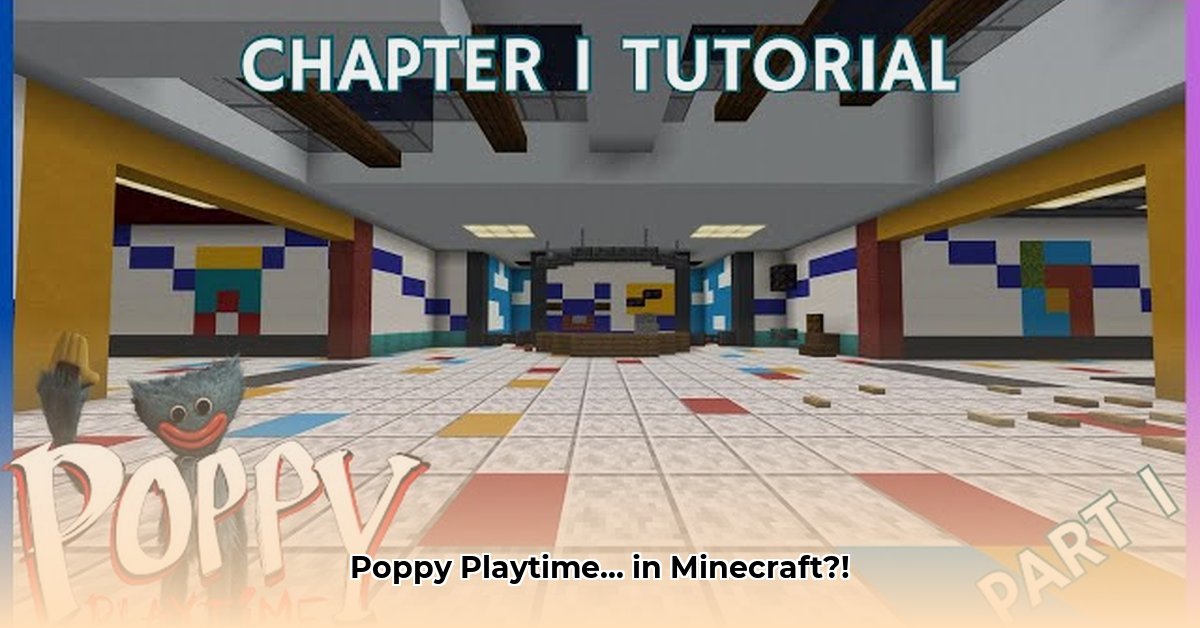
Want to experience the unsettling world of Poppy Playtime within the familiar blocks of Minecraft? For more Minecraft horror mods, check out this helpful resource. BesMC's Poppy Playtime V3 mod attempts this ambitious crossover, bringing Huggy Wuggy, Kissy Missy, and the unsettling atmosphere of Playtime Co. to a pixelated landscape. But does this mod successfully capture the chilling essence of its source material, or does it fall short? This review delves into the strengths and weaknesses, providing a comprehensive look at this intriguing Minecraft experience.
Gameplay: A Familiar World, New Nightmares
The mod cleverly blends familiar Minecraft mechanics with entirely new gameplay elements. You'll still mine, craft, and explore, but the addition of the GrabPack system—a versatile tool with color-coded hands for unique interactions—revolutionizes puzzle-solving. Scattered energy pylons add strategic layers to the challenges, demanding creative solutions beyond typical Minecraft puzzles. This integration feels surprisingly seamless, though it significantly alters the game's pacing. But does it capture the feel of Poppy Playtime? That's a more nuanced question. While the iconic characters are faithfully recreated, replicating the subtle dread and unsettling atmosphere of the original game proves more challenging within Minecraft's inherently brighter, more cheerful aesthetic.
Is it truly terrifying, though? The mod doesn't skimp on jumpscares – they're frequent and effective, at least initially. However, their overabundance leads to diminishing returns, reducing the overall impact. A more measured approach, incorporating atmospheric tension and subtle scares alongside the occasional jump scare, would create a more sustained sense of unease. Think less "BOO!" and more a slow creeping dread. This is a key area for improvement.
Visuals and Atmosphere: A Blocky But Familiar Playtime Co.
BesMC's Poppy Playtime mod shows significant visual improvement over previous versions. Character models are remarkably detailed, and new assets and environments enhance the atmosphere. There's a clever blending of Minecraft's blocky style and Poppy Playtime's distinct aesthetic. However, fully capturing the dark and disturbing atmosphere of the original game remains a challenge. While the mod creates moments of genuine unease, it doesn’t quite reach those same levels of chilling intensity. The inherent brightness of Minecraft poses a significant obstacle to recreating the oppressive ambiance of the original.
Performance: A Potential Bottleneck
The mod's ambitious scope impacts performance. While the detailed models and complex mechanics are impressive, they demand significant processing power. Players with less powerful systems might encounter lag, stuttering, or even crashes. The requirement of Minecraft version 1.20 or higher, along with the need to enable experimental features, further highlights this issue. Before downloading, carefully consider your system's capabilities and research community feedback regarding potential performance issues on different hardware configurations.
Pros and Cons: A Balanced Perspective
| Strengths | Weaknesses |
|---|---|
| Accurate character models and designs | Over-reliance on jumpscares, diminishing their impact |
| Engaging new mechanics (GrabPack, energy pylons) | Potential performance issues on lower-end systems |
| Visually improved assets and environments | Limited readily available community feedback |
| Enhances Minecraft gameplay | Doesn't perfectly replicate Poppy Playtime's atmosphere |
Final Verdict: A Worthwhile, Though Imperfect, Adventure
BesMC's Poppy Playtime Minecraft mod is a brave and mostly successful experiment. The dedication to recreating the characters and core mechanics is evident. It offers a unique and enjoyable experience for Minecraft players. However, the over-reliance on jumpscares and potential performance issues prevent it from being truly exceptional. It's a recommended experience for fans of both franchises, but don't expect a perfect translation. It’s a solid foundation with significant potential for future improvements.
Optimizing Performance: A Step-by-Step Guide
Experiencing lag or crashes with the Poppy Playtime mod? These steps will help you optimize your game's performance.
Key Takeaways:
- System resource limitations, poorly optimized mods, or conflicts within the game can all cause performance issues.
- Optimizing Minecraft settings, updating drivers, and closing unnecessary applications can significantly improve performance.
- Hardware upgrades offer a lasting solution for severe performance issues.
Step-by-Step Performance Optimization
- Assess System Resources: Check your RAM, CPU, and GPU usage while running the mod. High usage indicates a potential bottleneck.
- Optimize Minecraft Settings: Reduce render distance, lower texture quality, disable shaders, and experiment with other graphics settings to find an optimal balance between visuals and performance (see detailed steps below).
- Update Drivers: Ensure your graphics card drivers and operating system are up-to-date. Outdated drivers are a common cause of performance issues.
- Manage Background Processes: Close unnecessary applications running in the background to free up system resources.
- Consider Hardware Upgrades: If performance problems persist even after optimizing settings and drivers, consider upgrading your RAM or graphics card.
Detailed Graphics Settings Optimization:
- Access Settings: Open Minecraft's options menu.
- Video Settings: Navigate to the "Video Settings" or "Graphics" tab.
- Adjust Settings: Begin by reducing "Render Distance," then adjust "Smooth Lighting," "Max Framerate," and other settings as needed.
- Test and Iterate: Play for a short time, then continue adjusting settings until you find a balance between visual quality and performance.
⭐⭐⭐⭐☆ (4.8)
Download via Link 1
Download via Link 2
Last updated: Monday, May 19, 2025